FilrAI Documentation
Model Builder
Build financial statement workbooks and valuation templates from company filings.
Last updated
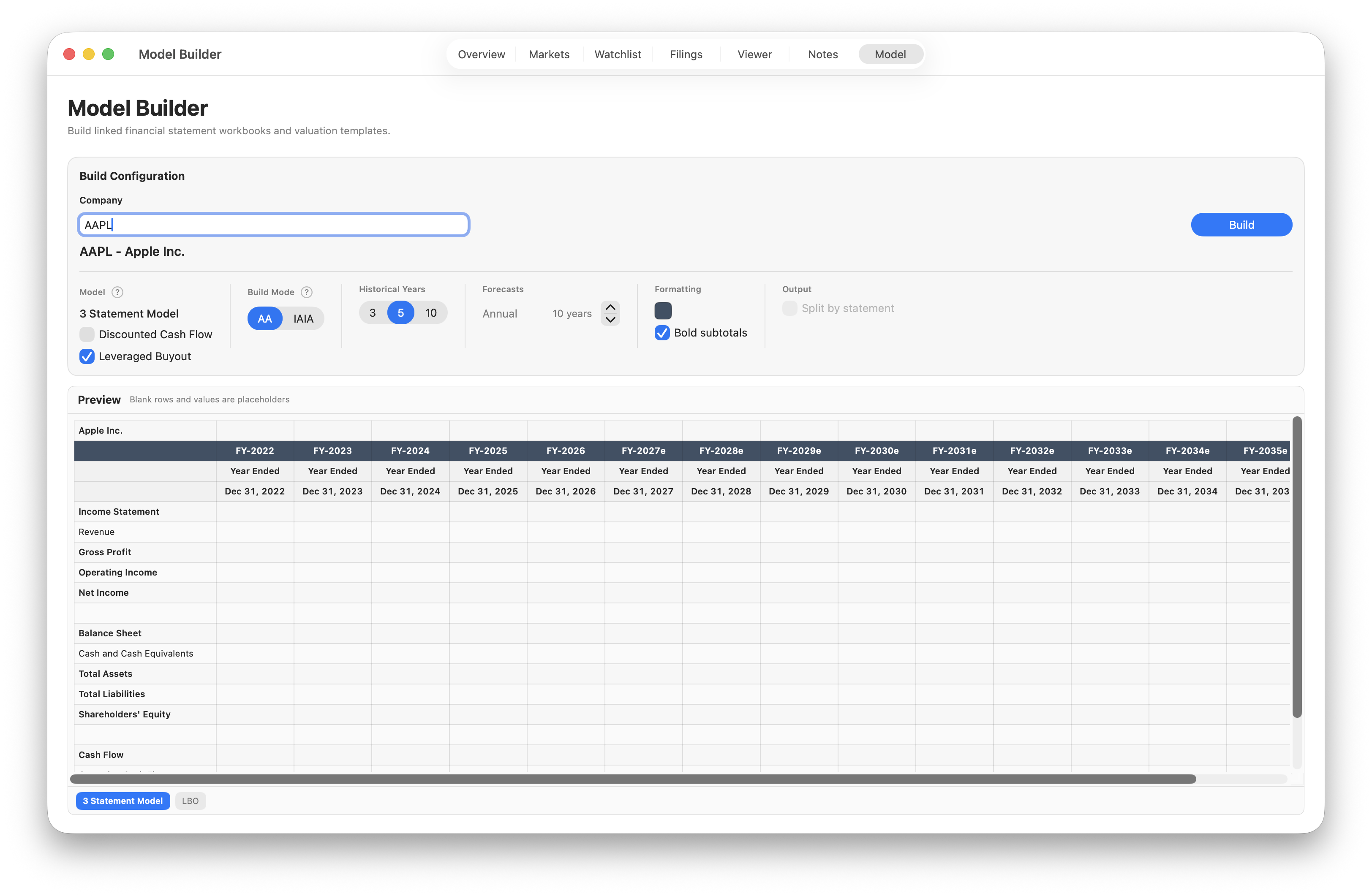
Build configuration
Search by company name or ticker, then configure the workbook.
Model
The 3 Statement Model includes the income statement, balance sheet, and cash flow statement. Add Discounted Cash Flow for WACC and valuation tables, or Leveraged Buyout for transaction assumptions, sources and uses, an operating case, a debt schedule, and sponsor returns.
Build mode & periods
AA combines annual historical periods with annual forecast columns. IAIA includes interim and annual historical periods, with quarterly forecasts before annual forecasts.
Choose 3, 5, or 10 historical years and 1–20 forecast years. In IAIA mode, set how many forecast years include quarterly periods.
Formatting & output
Set the header color, Bold subtotals, or Split by statement for separate statement worksheets. Selecting a DCF or LBO template disables Split by statement.
Preview
The preview reflects your configuration, with placeholder rows and values.
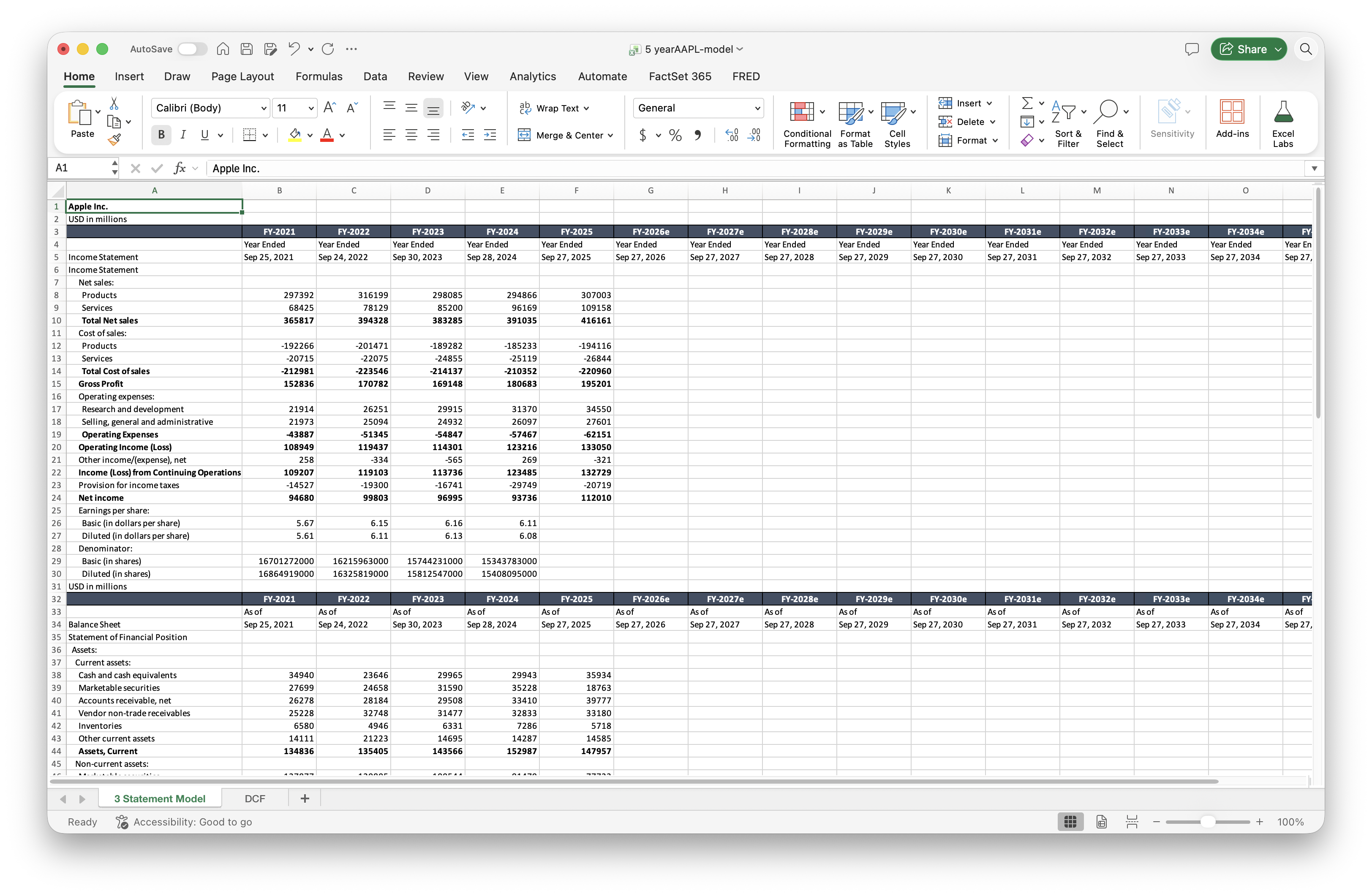
3 Statement Model
Contains formatted financial statements including the income statement, balance sheet, and cash flow statement. Historical figures are derived from XBRL data in the company’s SEC filings and organized across the selected historical periods. The workbook also includes forecast columns for your projections.
Figures that could not be merged across periods are retained at the bottom of the relevant statement in the red Unmerged / Needs Review section.
Valuation templates
Select Discounted Cash Flow or Leveraged Buyout in the build configuration to include its template alongside the three-statement model.
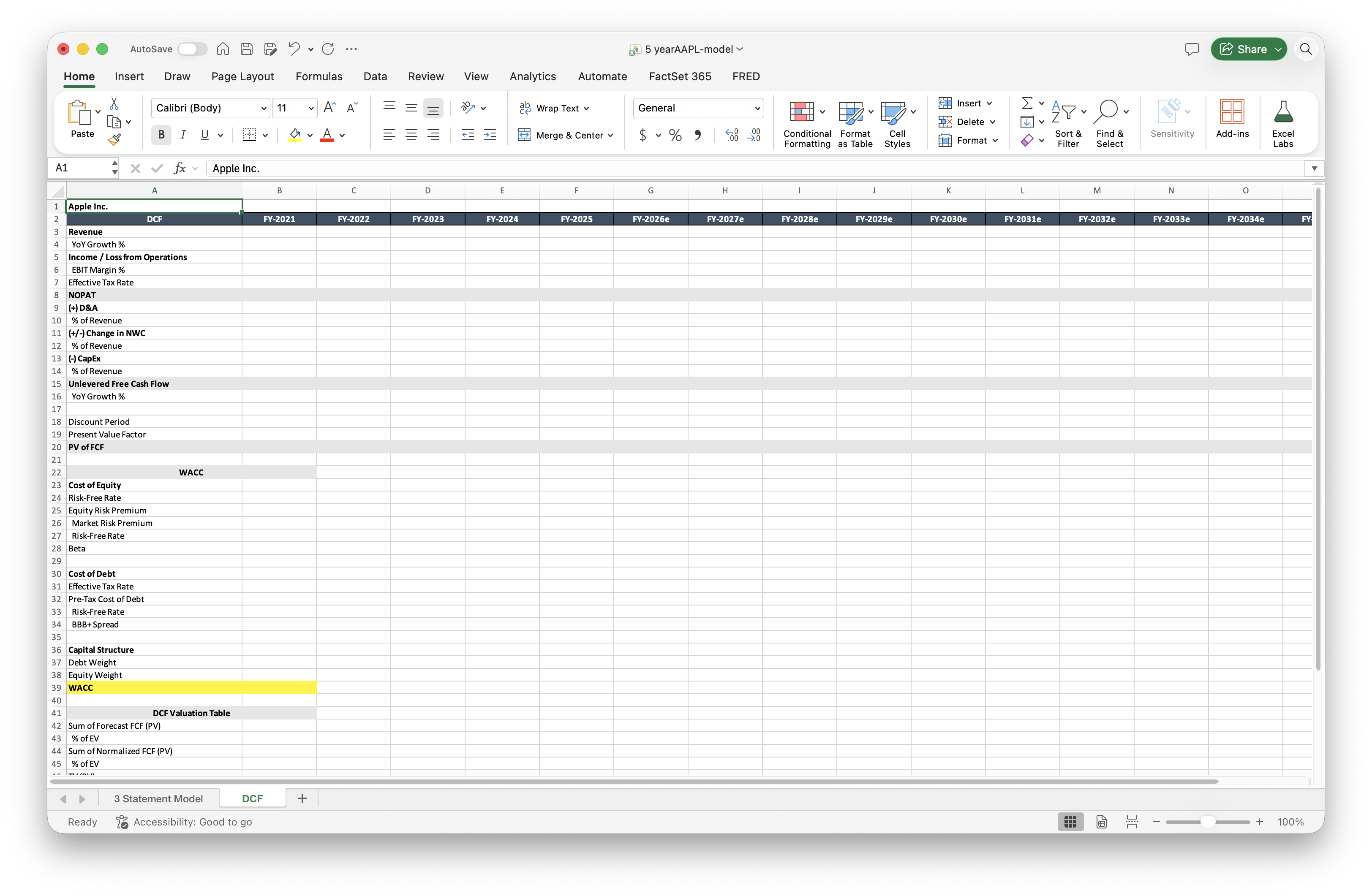
Discounted Cash Flow
A template for cash-flow projections, WACC, and valuation.
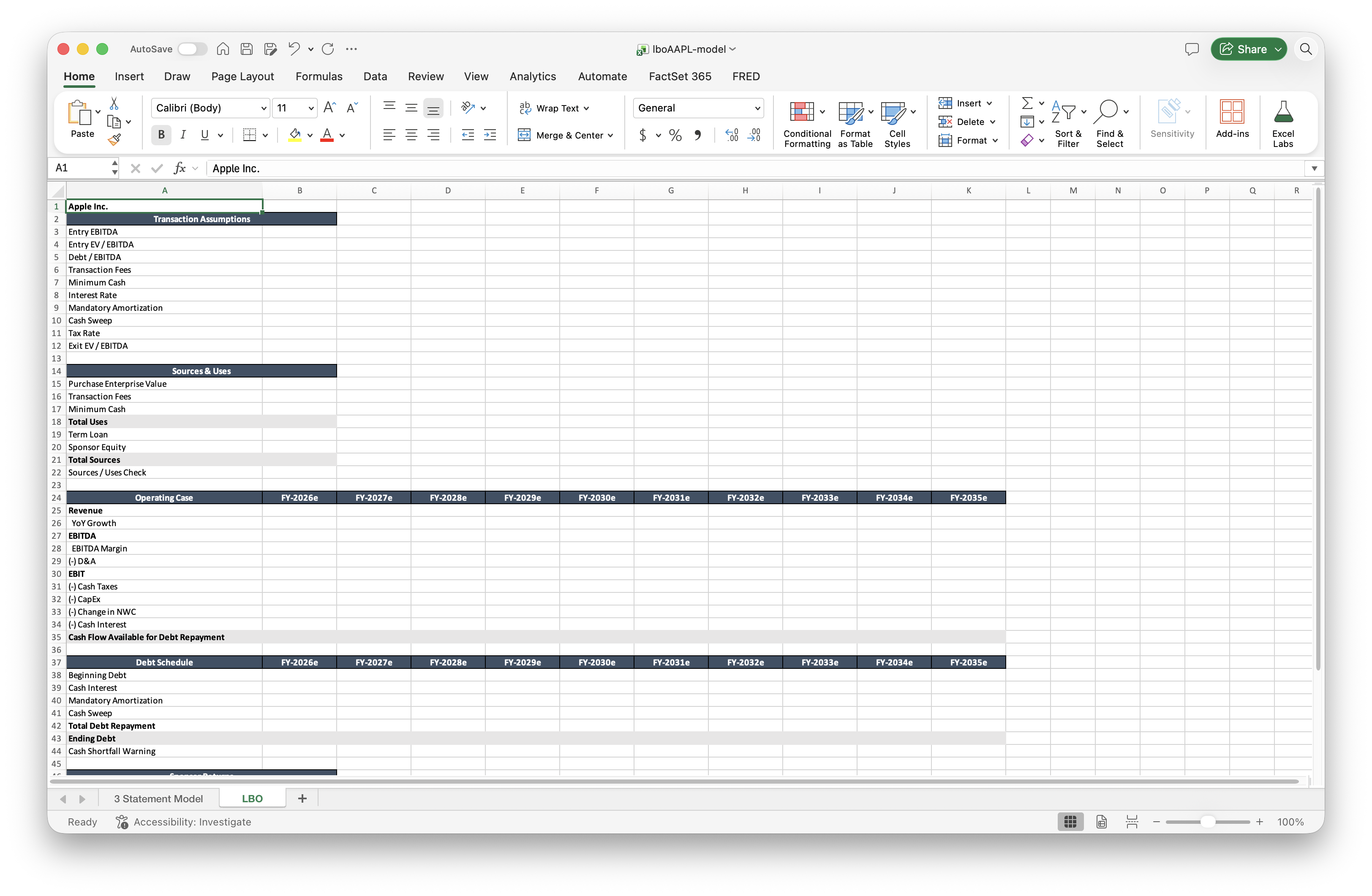
Leveraged Buyout
A template for transaction assumptions, sources and uses, an operating case, a debt schedule, and sponsor returns.
Missing data & review
A blank historical cell does not necessarily mean zero; the value may be unavailable in the source data. Figures that could not be combined across periods appear in the red Unmerged / Needs Review section.
Generated workbooks may contain errors or omissions. Review flagged items and compare key figures with the original filings.