FilrAI Documentation
Notes
Review company research, edit saved notes and annotations, and return to the source.
Last updated
Finding & organizing notes
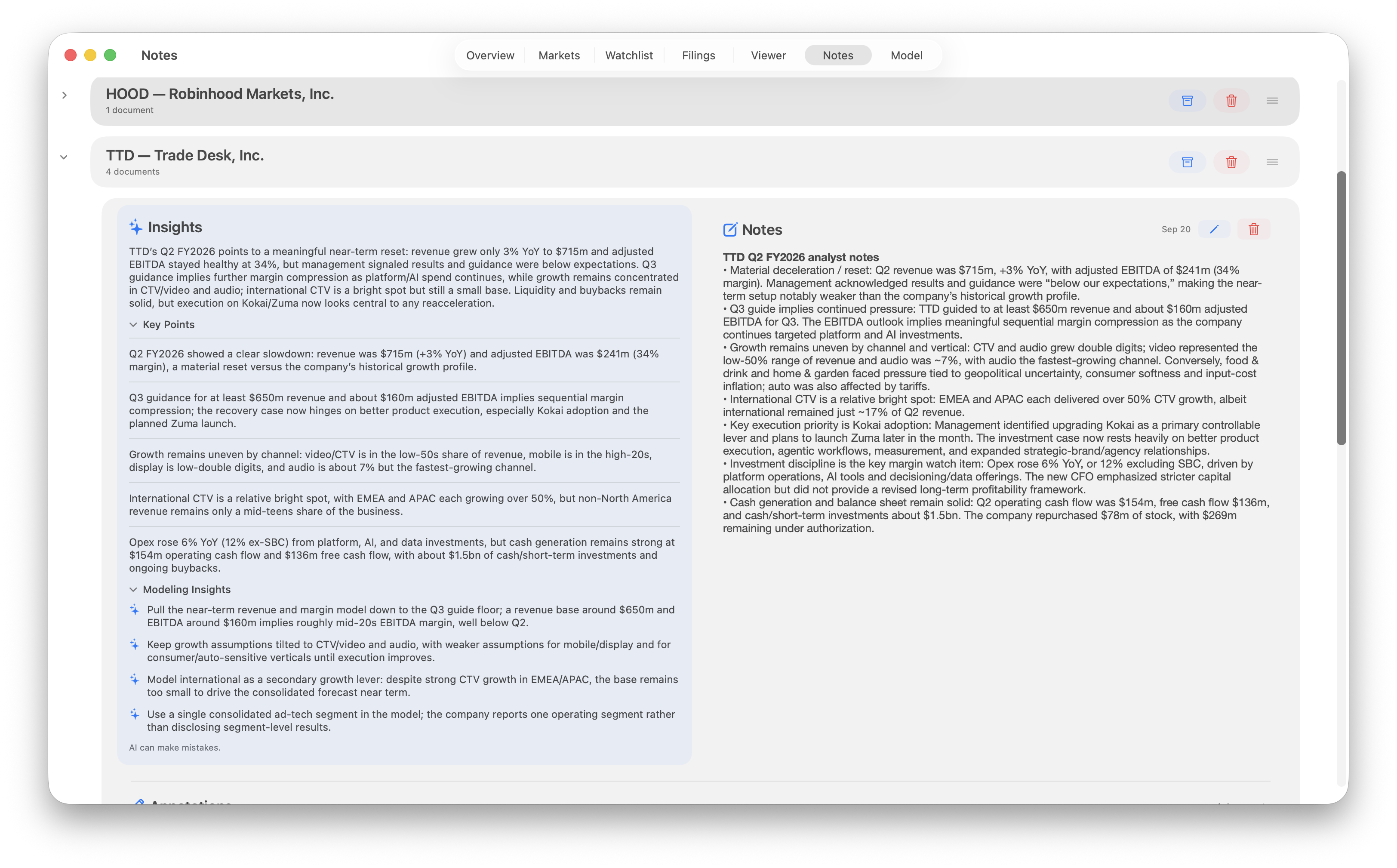
Research is grouped by company. Expand a company to review its Insights, shared Notes, and document Annotations. Drag the handle beside a company to reorder it.
Insights summarizes saved research into an overview, Key Points, and Modeling Insights.
Editing notes & annotations
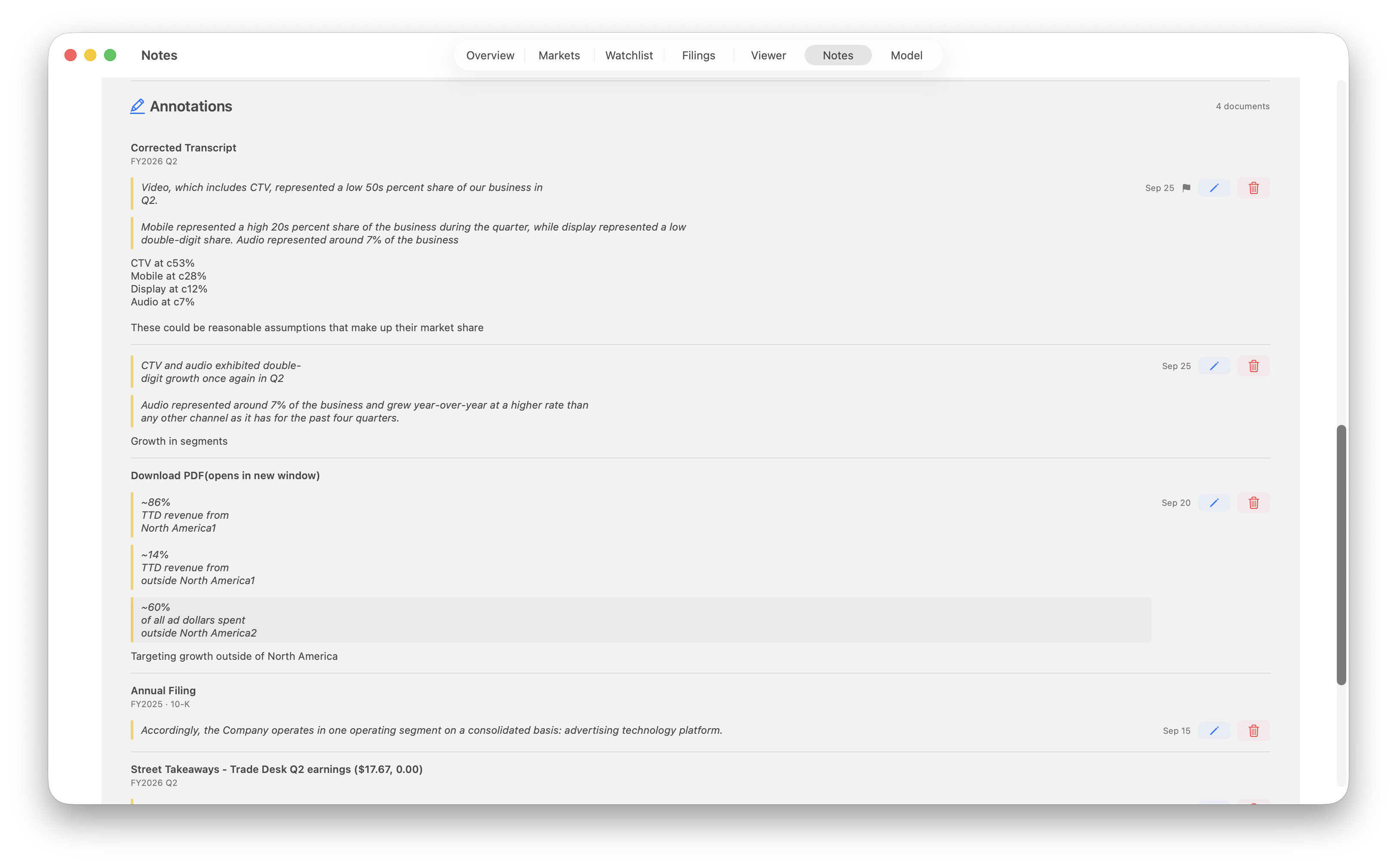
Notes hold company research and modeling assumptions without tying them to a selected excerpt. Annotations pair excerpts from a document with your comments and are grouped by source document, with filing and fiscal-period labels where available.
In the annotation editor, you can also flag an annotation as important or add another excerpt from the Viewer.
Returning to the source
Select an annotation’s highlighted text to open its document in the Viewer and return to the annotated location. Select a document title to open the source document.
Saving & deletion
Saved annotations appear in both the Notes tab and the document’s Notes sidebar in the Viewer. Shared company notes stay together under the company.
Use the archive icon to remove company research from notes tab; they can be restored from archived.
Deleting an individual note or annotation removes only that entry. Deleting the shared company notes leaves document annotations intact. Deleting the entire company group removes all notes and annotations for that company, including archived items.